Thursday, May 23, 2013


Monday, May 20, 2013
Podcast Interview with Stephen Denning

Thursday, May 16, 2013
Johanna Rothman's Personal Kanban Blog
Just discovered Johanna Rothman's Personal Kanban blog posts from a few weeks ago. There is a lot of great detail on the thought process and practice of using PK over a 5 day period.
Her posts start here:
http://www.jrothman.com/blog/mpd/2013/04/personal-kanban-and-iterations-day-1.html
Her posts start here:
http://www.jrothman.com/blog/mpd/2013/04/personal-kanban-and-iterations-day-1.html
Tuesday, May 14, 2013
Personal Kanban Weeks 10-12

The Heart of Darkness

Kanban. (expletive)Still only in Kanban. Every time I think I’m gonna wake up back in the GTD…
- Whatever I use, it needs to be completely portable.
- Whatever I use needs to be available to me whether I am online or off.
- Whatever I use needs to be simple enough that the act of using it does not become a time/productivity suck. The tool can’t be in my way.
- I really like working with a physical board and would like something as close to that as possible.
- When I am home, and using the physical board on the wall, the process works quite well for me.
I toyed with the idea of trying to get a piece of plastic that I could use as a physical board and that I could roll up and carry with me. But I’m guessing that the person in seat 21A (who is probably still a bit irked about losing the battle for the armrest) is not going to take kindly to me unrolling my big Kanban board to work on it mid flight.

The Horror, The Horror
I did attempt to use my Kanban journal. This is the book I make notes in each week on how things are going. I carry it with me each time I go on the road, so it seems like a great fit. Exiting Kanban-for -1, I re-created all my post its and created a PK Board in my notebook that was just like the one on my wall. It worked great until I actually placed the post-its in the book. I was right back to the Kanban-for-1 issue.

Disclaimer: I should point out that if you are reading this hoping to get to a point where I realize I’m just carrying way too many tasks… you might want to get a sandwich… it’s gonna be a while.
- Must be available on laptop, iPhone and iPad.
- Must be as close to my physical board as possible (meaning must allow for swim lanes).
- Must have some capacity for dealing with recurring tasks.
- Must be available online and offline with a sync capability or something as easy as capturing notes on a post it or index card.
Basically I’m looking for Things, but Kanban style (cough cough Cultured Code cough cough).
Since I’ve started writing this blog people have been kind enough to send in a number of recommendations. Trello seems to be very popular. I’ve also received suggestions that I use Evernote for Kanban. I’d love to be able to do that, but I’ve not yet found a tool that would allow me to do so in as effortless a manner as I am looking for. Basically, if using the tool is more work than pulling an index card or a post it out of my pocket and capturing the item/updating the item while I am in an elevator, walking down the street, or sitting on a plane, it’s too much work.
Unfortunately, none of the tools I was able to find met all my requirements. However, after looking over the options, I decided o give Leankit a try. My reasons for choosing it were not entirely scientific, but I’m human…
Leankit allowed me to do the following:
- Set up my swim lanes just like I had them on the wall.
- Define the work state columns however I wanted.
- Establish whatever WIP limits I wanted and warn me when I tried to exceed them.
- It let me color code the cards based on work type.
 The last point may seem trivial, but to me, it is very significant and one of the primary reasons that I have so much trouble with personal Kanban applications. The value of my physical board is that I can put everything I had to do up there at once. I can look at it all at once. It is a really big information radiator. For me, it’s a billboard telling me what is going on with the things I feel I need to do. No matter how awesome the software is, or how big my monitor is, there doesn’t seem to be a way to replicate the big thing on the wall + tactile interaction thing.
While my preference for a physical board is clearly established, there is no way that my physical board and my Martin travel guitar are going to fit in the overhead, so I need me some app-age.
"Never get out of the boat... Unless you were goin all the way."
(Capt. Willard)


Leankit
I used Leankit for about a month during this project. As far as Personal Kanban apps go, it is my weapon of choice. I’ve not tested out the paid version, which includes some extra features and more detailed analytics, but I found the free version to be very helpful in tracking my work on the road. My favorite aspect of the application was the customization. I really liked that I could set up my board in Leankit to mirror the one I have at home. In practicing any work habit, I believe the first step should always be the physical practice. If it moves to an electronic tool, then it is important to select a tool that allows you to mirror your physical behavior. Leankit offered me the most freedom there.
It even allowed me to set up multiple backlogs so that I could mirror how Things had worked for me. While I wasn’t able to figure out how to get recurring tasks going, I was able to create a ReUsable backlog so that each night I could move the recurring Daily items back into that backlog if I wanted. I didn’t actually end up doing that, but it somehow eased my mind to know that I could.
It also allows you to set due dates, mark work as blocked and it has an icon system for type of work.
So, Leankit allowed me to replicate my physical board on the web. It also has an iPhone application which took a little time to get the hang of, but which allowed me to update items as long as I could get online. With respect to my requirements:
- Must be available on laptop, iPhone and iPad (PASS)
- Must be as close to my physical board as possible (meaning must allow for swim lanes) (PASS)
- Must have some capacity for dealing with recurring tasks (FAIL)
- Must be available online and offline with a sync capability or something as easy as capturing notes on a post it or index card (FAIL)
From a mobility standpoint, with the exception of offline sync, the tool works quite well. It allows me to access my work, update it, enter new items, etc. You can even set it up to allow you to access multiple accounts. On my iPhone I have Leankit set up to access my personal account under one email address and another one I use for Scrum Alliance volunteer work.
The fact that Leankit did not meet all my requirements is not significant for me. None of the applications I looked at were able to meet all of them. From a customization, portability and usability standpoint, I am a big fan of Leankit.
 |
| You can't go out into space with fractions. |
Tuesday, April 30, 2013
Personal Kanban Week 9
Productivity Hangover

Yesterday, like most days, I planned too much into the day. There was no realistic way I’d be able to get it done given the fact that time is not quite as flexible as I’d like it to be and that I don’t have one of those boxes from Primer.

In working through this Personal Kanban project there is a question thing that has remained kind of an open issue for me the entire time. What about WIP? If you aren’t familiar with it, WIP stands for Work in Progress. In Kanban, the goal is to limit your work in progress in order to help maximize your throughput. Or, to put it more simply, you need to understand how much you can do at once before you start mucking things up. Once you understand that, you need to prevent yourself from taking on too much at once (and mucking things up). This also helps you understand how long it takes to get items through the system.
For the most part, the practitioners of Personal Kanban that I have spoken with have admitted that WIP is not something they pay much attention to. In speaking with them I did not dig too deeply on that topic at the time because it seemed to be non-critical. I was looking at WIP as a holdover from a more traditional approach to Kanban that had less relevance in Personal Kanban. Also, whether or not it is right or wrong, the items on my board are not sized in any way. Everything is the same, whether it is a writing a new Statement of Work, doing a load of laundry, finishing Clive Davis’s biography, or going through the legal steps of closing down a company. It is all just stuff I am trying to prioritize and do.
If you can dodge a wrench…

When I told him I told him I wasn’t really tracking my WIP I am pretty sure I heard him fall off his chair. The productivity guilt monster reared up and shamed me… so I recanted. I explained that I was tracking WIP …-ish. Which meant I had listed a number for WIP at the top of each of my columns and then I just wildly ignored that whenever the hell it seemed convenient…. Which was/is most of the time.
Putting the “fun” back in dysfunction
Shockingly, there are days when I can’t get everything done. Many times the reason is that I have other activities scheduled during time I would otherwise be working. I feel safe in the assumption that I am not alone in this. And yet for many of us, we somehow manage a level of delusion that permits us to plan to do work during the time we know we will be otherwise engaged. When this happens, we have these items, which we unrealistically planned, which cannot be completed on the schedule we put together. I have a master’s degree in project management and I’m deep with the Agile. I know how I am supposed to do this. I also know that how I am doing this is not healthy. I know it is not realistic. And yet it happens, over and over. I’m slowly becoming even more aware of how sharply fundamental an issue this is and how deeply and negatively it impacts my productivity. Because I do not have a clear and present awareness of my capacity and how to plan for that without exceeding it, I am always overfilling my bucket. When I am teaching people in a work setting about how to keep from doing this, it’s easy to explain. I even have a calculator I’ve made for folks to use to help prevent them from overcommitting themselves each Sprint. But on an individual level am I really supposed to size every single thing I do and plan for doing just that and no more? That’s just not realistic.

And suddenly, just like that, I’m one of “those” students. The ones who like the ideas behind Agile, but who really need to spend some time at the Wall of Won’t.
(The teacher in me would now like to take the student in me out back now for a quick kneecapping… just for good measure.)
Sadly, I do not have a card for that on my board.
I hate when that happens.

I believe that understanding my capacity at a daily level, and planning to meet, but not exceed that capacity will allow me to complete more work each day. I believe that getting more items to a done state each day, and not leaving a lot of unfinished work on the board will have a positive impact on my ability to get work done that will further improve my productivity. I also believe that if I do not plan to do more than is possible in a day I will be better enabled to get the rest I need to be as productive as possible in future day. This is all common sense. It’s been proven over and over. We all have that voice in our heads telling us that we are special, that we can do more, that we are not bound by the normal laws of time and physics.
Yeah… not so much.
To experiment with this I am going to run two tests. First, I’m going to try the easy one … estimating ideal time for the items in my list and then also estimate my capacity. It will involve some overhead because I am going to have to do this every day, but I will try it for a week to see what happens.
The second part, which will be more challenging for me will be to try breaking my work up into pieces that are small enough to track progress on a daily basis. I’m going to run this for two weeks and then report on it.
Next week I’ll be back to the topic of software for Personal Kanban.
Monday, April 15, 2013
Podcast Interview with Factory of One author Dan Markovitz

Thursday, April 11, 2013
Personal Kanban Week 7
Kanbanfor1
I had run across nomad8’s Kanbanfor1 physical boards at an
Agile conference during the previous

Fortunately, I was able to talk myself down… probably by
spending the same insane amount of money on a book I haven’t read.
When I found the app for the iPad though… I really compelled to test it out. And, it is very pretty to look at. I used it
for several weeks… or rather, I tried to, did I mention it is very pretty to look at? This posting will concern it self
with my review of the app. (Next week I’ll talk about what happened in between
my attempts to get my world sorted with Kanbanfor1.)
The app has updated since I began testing it, so some of my concerns may have gone addressed already. I
also think it is important to state up front that the issues I had with the
application are not really problems with the application, they are problems with my
approach to work.
The Basics
Kanbanfor1 is laid out in a very clean, basic way. You get boxes
for the following:

- Things to Do
- Next
- Doing
- Waiting
- Done
- Notes
You also get a trashcan where you put the notes when they
reach a state of whatever comes after done… ascended maybe?

The app is about as basic and simple to use as it could
possibly be. There is a box with a “+” sign in the top left of the screen.
Click it, and you get a New Task pop-up. You enter the task description, select
from one of 6 colors for your task and click Done. The task shows up in the Things to Do column.
You can move it across the board. That’s it. That is all it does. I love that.
It is what made me want to try it. ... (Once I came to grips with the fact that if there is a
Kanban app that allows for online/offline access with sync. I am unable to locate it.)
I placed a task of each color in the notes field and used the names from the swim lanes on my physical board. I then replicated all the tasks from my board into Kanbanfor1.
As far as I know, there is no capacity for WIP limits in this
app… it is bare bones, but kind of elegant in its’ simplicity.
(And did I mention it is pretty?)
While I knew this was going to be an issue, I underestimated
how annoying it would become. What I
store on my iPad is only available on the iPad. This is great when I’m teaching
a class or sitting on the couch, with my iPad. This is completely useless when I am
trudging through an airport with a ridiculous amount of luggage. So, in those
moments, I’m back to Things…, which I then re-enter into Kanbanfor1.
This lack of constant access didn’t seem to me like it should
be a big deal. In practice though, I noticed that rather than updating as I go,
which I do with the physical board, I was just not doing that with the app on
my iPad. I ended up just capturing things at the end of the day. A subtle
difference, but it meant that when I was posting the updates, I was having to
look through all the tasks, figure out which ones I had completed and move them
from Things to Do into Done. I lost the value that comes from the staged
movement, and I lost the boost from moving it into Done when I completed it.
What was a more significant issue for me was the fact that
there is no ability to change the size of the


So what I end up with (sans the WIP limits) is stacks in
each of the boxes. While I love the simplicity and I think the way the app is
designed makes a lot of sense, for someone who is carrying a lot of tasks, this
board will simply not work. I think if there were some capacity to manage the
height of the boxes, or the size of the tasks, it may work better.
Unfortunately, at least while I was testing it, this was not the case. If,
however, I had a more manageable set of Things to Do, and I was always going to
have my iPad with me (the way I do my phone), I think this app would be a
perfectly fine solution… even without the syncing.
Help Wanted
If anyone who reads this can recommend an app that offers
online and offline access with a sync to reconcile changes, that is available
on IOS, please let me know. I have been researching them, but so far, it is all
about the cloud. I think the cloud is great, but when I’m stuck in the actual
clouds for several hours at a time, I need to be able to enter new items and make
updates.
Thursday, April 04, 2013
Personal Kanban Week 6

What if you mix the mayonnaise in the can, WITH the tunafish?
By week 6 I felt like I had begun to get the hang of a basic
working practice of doing Personal Kanban using a physical board. I definitely
still had room for improvement, but I felt ready to start on the next phase of
this experiment - tracking the work using
an electronic board. Another reason I wanted to begin this phase was that I was
about to begin traveling and teaching again.
The questions I initially had about this were:
- Could I maintain the working habits I had established using an electronic board?
- Could I find a tool that was as easy for me to use as a physical board?
- Could I fit all the work I was carrying on to the physical board?
- Could I find a tool that would allow me to work in an offline mode and have any changes I made sync up when I went back online?
There were a number of concerns I had about each of these
questions.
Maintaining Working Habits
When I am teaching Scrum classes or coaching I always
advocate starting out with a physical practice of working with a board on the
wall whenever possible. There are two primary reasons for this.

The first is that when people are adopting an Agile
practice, doing the work with physical tools allows the practitioners to
develop their own working version of Scrum. Once they have established their
practice, they gain clarity on what they need a tool to do for them. If they
begin with an electronic tool, they learn to work the way the tool works. Each
of the tools offers it’s own take on Agile and this may, or may not work to the
benefit of the practitioner, but more often than not I’ve seen people rely on
the tool to drive their habits (or provide them with an excuse for not applying
some aspect of a practice.)
The second reason is that while it may not seem like a big
deal, there is a psychological boost that comes from walking up to a board and
moving a card into the Done column. It’s not a huge boost, but it is a good
feeling to physically do that. If you can do it multiple times a day, there is
an increased sense of accomplishment and this helps drive the practice. While I
do think there is also a boost from doing the same in electronic form, I have
not personally found that to be as positive an experience.
Ease of Use
Since I was still in the beginning stages of training myself
to work this way, I wanted to make sure I would be able to find a tool that
would allow me to maintain the good habits I was developing, while allowing me
to continue to experiment. I also wanted to make sure that the process of
creating a task, or moving a task would be as simple/easy as writing something
down on a post it and moving it across a physical board. My assumption was that
if the tool proved to be more complicated to use than a physical board, I would
be less likely to maintain or improve on the habits I was developing. Anytime
using software becomes more difficult to use than paper it makes work harder.
That would obviously work against my goal for this entire project.
Fitting it All In
When I made the decision to try to include everything I do
on the board my board became pretty crowded. I even had to switch to smaller
post its in order to be able to fit everything. My goal was to find a tool that
would allow me to keep all the work in one place, but it also had to be stored
in a way that was big and visible enough for me to be able to see everything
all at once.
Off the Grid
.jpg)
This was the biggest challenge for me. I have spent the last
two + years teaching myself how to stop letting things slip through the cracks
by relying on Things and Evernote. Both of these tools allow me to work on
multiple devices and then have changes sync up when I reconnect.
Evernote is like the junk drawer for my brain. It allows me
the freedom to fully engage my inner Bill Blazejowski. All the ideas, notes, pictures of weird things that are momentarily important to me for some unknown reason, the books I want to read, and voice notes from “Chuck to remind Bill to
SHUT UP!” go in there. There’s a good chance many of those things will get no
further than being stuck in Evernote and left to electronically wither… but I do feel more at ease knowing that I have them... just in case.
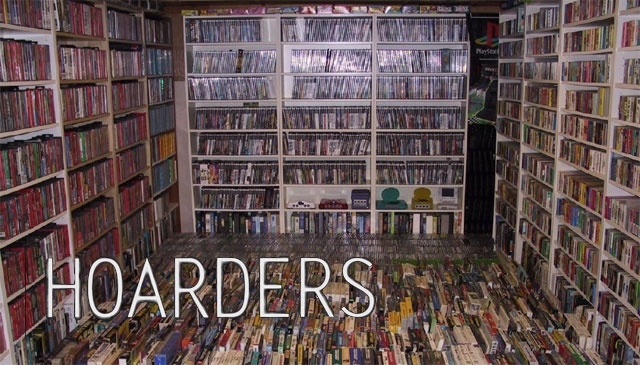
The problem is, that Personal Kanban seems to be largely
focused on reducing the amount of cultter (stuff I’m trying to work on) and moving to an
electronic version may make it tough to continue embracing my inner digital
hoarder. Six weeks in, I’ve still not been able to break from using Things
every day just to capture stuff that may need to be added to the backlog.
So one of my goals for Sprint 6 was to select a tool and
start testing. The first tool I decided to try was Kanban For 1. I’ll be
posting about that beginning next week.
Subscribe to:
Posts (Atom)